Regionen
Regionen können in Ausgabenkategorien als Kriterium verwendet werden, um zu bestimmen, welche Buchungseinrichtung auf eine Ausgabe angewendet wird. Eine Region stellt eine Sammlung von Ländern dar und ist nützlich, wenn unterschiedliche Buchungsregeln oder Steuerbehandlungen für Ländergruppen statt für einzelne Länder erforderlich sind. Regionen können beispielsweise verwendet werden, um unterschiedliche Steuersätze oder Buchungseinrichtungen für Ausgaben in Europa im Vergleich zu Nordamerika anzuwenden.
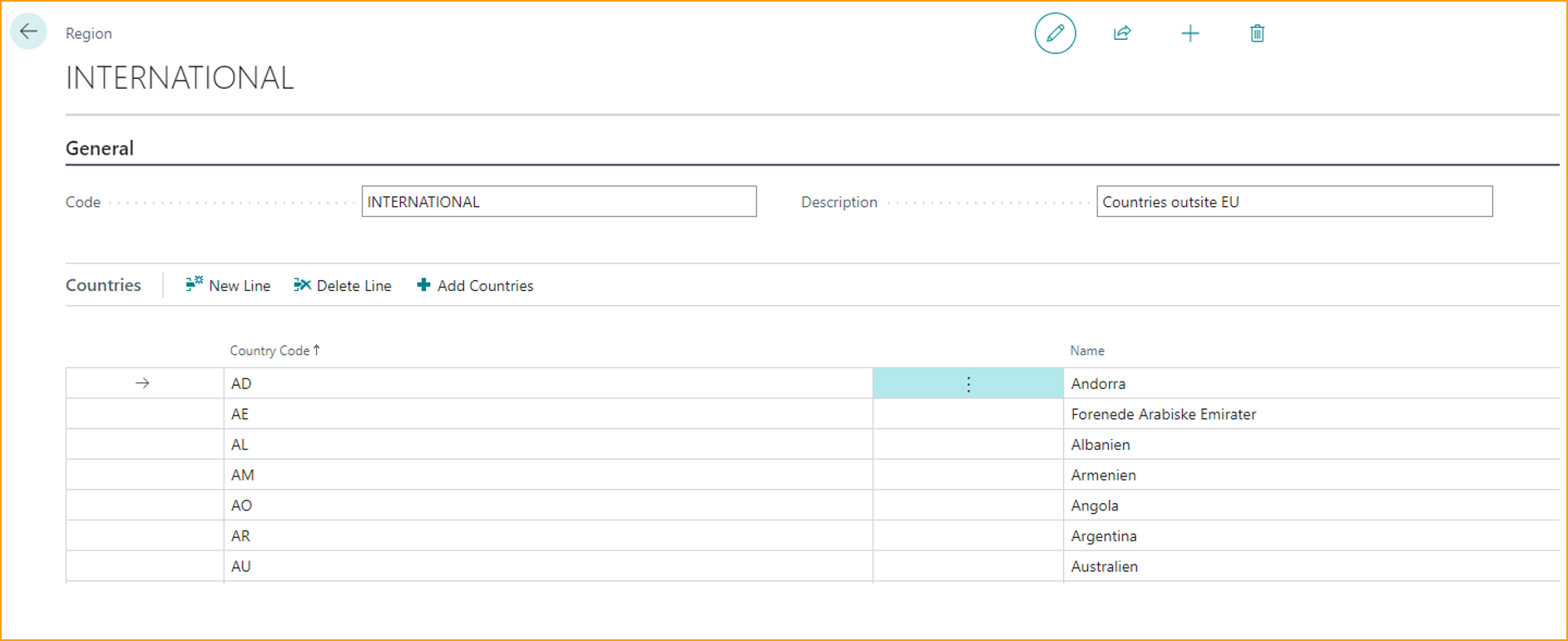
Regionen erstellen/verwalten
-
Wählen Sie auf der Seite Travel & Expense Setup – Overview die Option Regions.
-
Wählen Sie New, um eine neue Region zu erstellen.
-
Um eine bestehende Ausgabenkategorie zu verwalten, wählen Sie die Ausgabenkategorie aus und wählen Sie Edit aus dem Menü Manage.
-
Geben Sie Werte für die folgenden Felder ein:
- Code:: Geben Sie eine kurze Kennung für die Region ein.
- Description: Geben Sie eine Beschreibung für die Region ein.
- Add Countries: Wählen Sie einen oder mehrere Ländercodes aus, die in die Region aufgenommen werden sollen.
-
Einmal erstellt, können Regionen den Ausgabenkategorien zugeordnet werden, um zu steuern, welche Buchungseinrichtung basierend auf dem Ort der Ausgabe angewendet wird.