ExFlow Travel & Expense Mobile App
Die mobile App von ExFlow Travel & Expense ist für Android und iOS verfügbar und ermöglicht die schnelle, mühelose Einreichung von Ausgaben und Kilometern direkt von Ihrem Mobilgerät.
Nach der Einreichung stehen Ausgabenbelege sofort den Genehmigern und der Finanzabteilung zur Überprüfung und Verarbeitung zur Verfügung.
Die mobile App ist die bevorzugte Methode zur Einreichung von Ausgaben und Kilometern. Sie ist auf einfache Bedienung ausgelegt und erfordert nur wenige Antippen und minimale Eingaben ideal für die Einreichung von Ansprüchen unterwegs.
Installation
Laden Sie die App ''ExFlow Travel & Expense'' aus dem App Store Ihres Mobilgeräts herunter. Die App ist sowohl bei Google Play als auch im Apple App Store verfügbar. Sie können über die folgenden Links darauf zugreifen oder im jeweiligen Store nach ''ExFlow Travel & Expense'' suchen.


Erstanmeldung
Die erstmalige Anmeldung bei der ExFlow Travel & Expense-App erfordert zwei Schritte:
-
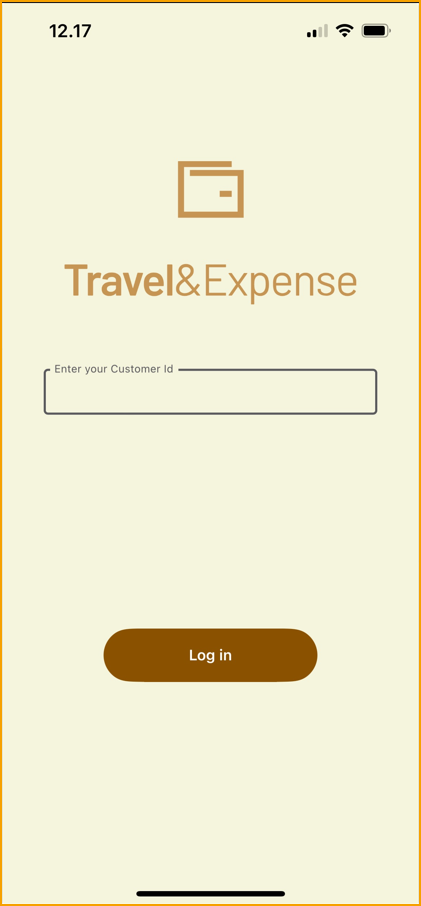
Customer ID: Geben Sie Ihre Kunden-ID auf dem untenstehenden Bildschirm ein.
-
Anmeldedaten: Geben Sie den Benutzernamen und das Passwort ein, die Ihnen in der E-Mail zur Kontoeinrichtung mitgeteilt wurden.
Die Kunden-ID und die Anmeldedaten wurden Ihnen per E-Mail bei der Einrichtung Ihres Kontos mitgeteilt.
Wenn Sie diese Angaben nicht haben, wenden Sie sich an Ihren Business Central-Administrator oder Ihre IT-Abteilung.
Die App speichert Ihre Kunden-ID und Anmeldedaten für die zukünftige Nutzung. Halten Sie Ihre Zugangsdaten bereit, falls Sie das Gerät wechseln oder sich erneut anmelden müssen.