Medios de Transporte
Esta página le permite definir los Medios de Transporte utilizados por sus empleados para el reembolso de kilometraje. Primero crea un Medio de Transporte y luego define una o más Opciones de Transporte dentro de ese grupo, cada una de las cuales tendrá su propia tarifa de reembolso.
A cada empleado se le asigna uno o más Medios de Transporte en la Ficha de Empleado > Travel & Expense > Vehículo. Esto determina qué opciones de transporte y tarifas de kilometraje están disponibles para ese empleado cuando envía un gasto de kilometraje. Este enfoque garantiza que los empleados solo vean las opciones de transporte aplicables, al tiempo que se respalda un reembolso de kilometraje preciso y conforme.
En muchos países, las tarifas de reembolso varían según el modo de transporte. Por ejemplo, pueden aplicarse diferentes tarifas a:
- Coches
- Coches con remolque
- Coches con 2+ pasajeros
- Coches remolcando
- Motocicletas
- Vehículos eléctricos
- Barco
Al configurar Means of Transport, comience definiendo la categoría de transporte. Dentro de esa categoría, cree opciones de transporte para vehículos dentro de esa categoría que requieran diferentes tarifas de reembolso. Si la tarifa de reembolso es la misma para todos los vehículos en una categoría, solo se necesita una única opción de transporte.
Ejemplo:
- Si su organización reembolsa el kilometraje a una tarifa única independientemente del tipo de vehículo, cree una categoría de transporte AUTOMÓVIL con una única opción de transporte llamada AUTOMÓVIL.
- Si se aplican diferentes tarifas por tipo de vehículo, cree una categoría de transporte AUTOMÓVIL y defina múltiples opciones de transporte como Coche, Coche con Remolque, Coche con 2 Pasajeros, etc. Luego definirá una tarifa para cada opción creada bajo el Medio de Transporte.
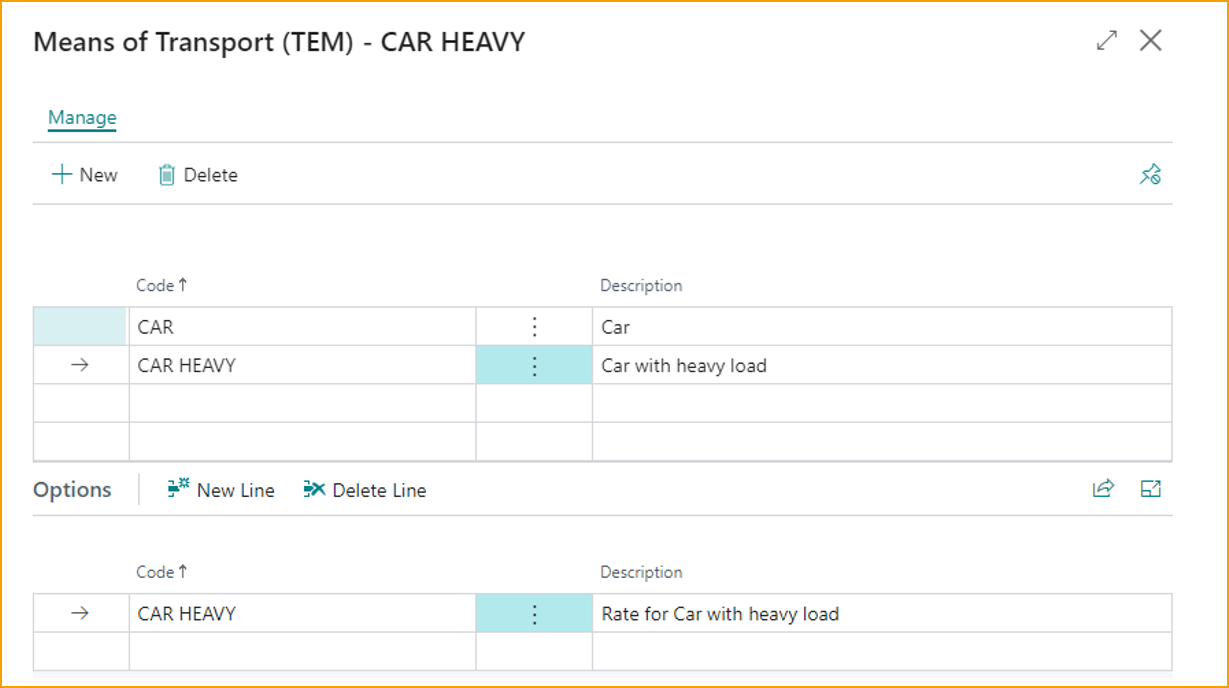
Crear/Gestionar Medios de Transporte
-
Desde la página Travel & Expense Setup – Overview, seleccione Means of Transport.
-
Seleccione New para crear un nuevo Medio de Transporte.
-
Para Manage un Medio de Transporte existente, seleccione el Medio de Transporte y luego seleccione Edit del menú Manage.
-
Ingrese valores para los siguientes campos:
- Code: Ingrese un identificador corto y significativo para el grupo de transporte.
- Description: Ingrese una descripción clara para el grupo de transporte.
Sección de Opciones - (Cada opción requiere su propia configuración de tarifa.)
- Code: Ingrese un identificador corto y significativo para la opción de transporte.
- Description: Ingrese una descripción clara para la opción de transporte.
-
Vaya a Travel Rates y asigne opciones de tarifa e impuestos.
-
Para asignar un Medio de Transporte a los empleados que enviarán gastos de kilometraje, vaya a User Management > Vehicle Assignment.