MEM Support
We have introduced enhanced support for Binary Stream Multi-Entity Management (MEM).
Within Business Central, Cues and Lists are now automatically filtered based on the MEM Entity Setup assigned to each Business Central user, ensuring they only access data from the entities they are permitted to view.
For TEM users in the web portal or mobile app, Dimensions and Projects are filtered according to the Business Central user specified in the AppsForDynamics3c5 login linked to the Employee.
MEM Setup
In Business Central environment with MEM, the following setup is needed to ensure alignment with MEM Security Setup.
Expense Management User Setup
Each Expense Management User (AppsForDynamics365 Login) needs to be linked to a Business Central user:
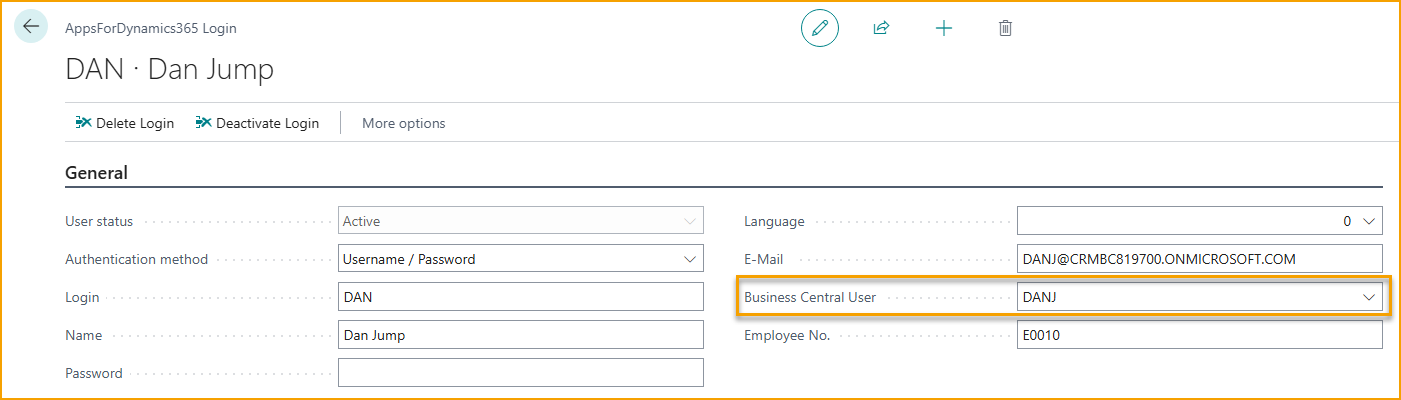
This is needed to ensure that MEM User Security Setup (entity access, dimensions, etc.) flow correctly into the mobile app and the portal.
Enabling the MEM Entity Dimension
In a MEM environment, Entity Dimension becomes mandatory. Admin must set Entity Dimension as mandatory on Additional Fields (TEM) page.
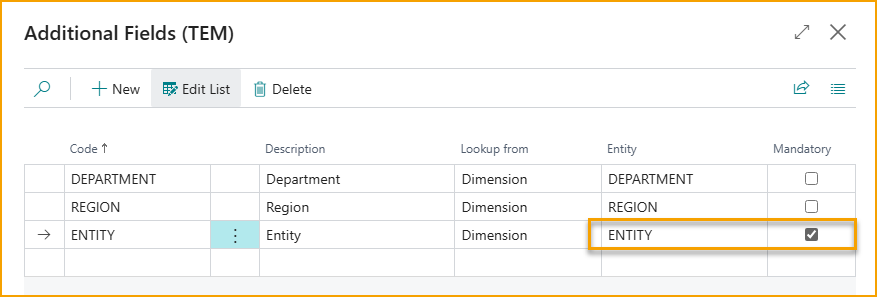
On each Expense Category, under Additional Fields, enable Entity Dimension:

User Experience in Business Central
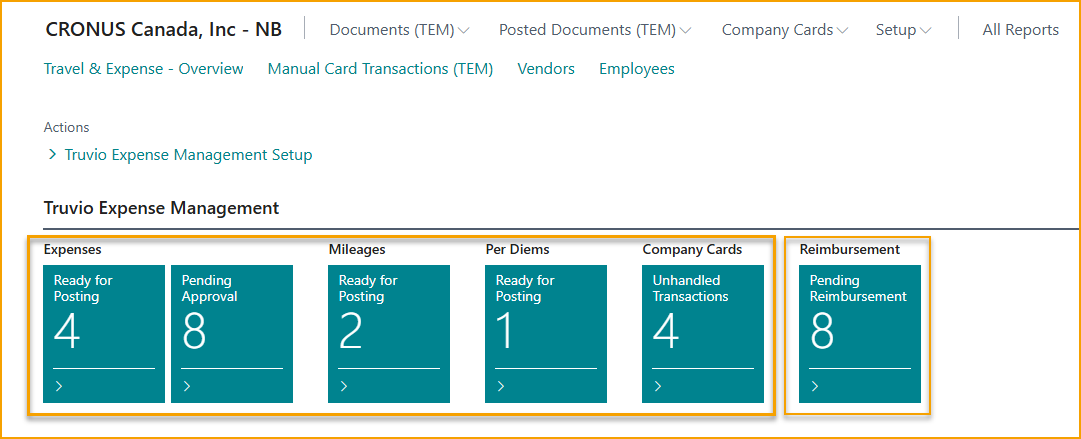
Cues and TEM list page inside Business Central are automatically filtered based on MEM User Security Setup assigned to the BC user.
Users only see data for the entities they have access to.
Reimbursement TEM page will display all entries, regardless of their entity. After those entries are transferred to Payment Journal, MEM User Security Setup again filters the entries based on the user's access.
User Experience in Mobile App and Web App
Entity Dimensions and Projects (Jobs) visible to the user will depend on their MEM User Security Setup.
Entity Dimensions has to be populated on each expense before submission.