Expense Management 4.0
Release date: October 2025 - Major Release
Key Highlights
- SmartExtract for AI-powered data extraction
- Nordea First Card integration
- Reimbursement via Vendor Payment
- Enhanced History Module with dedicated views
- Regional Features to support localized SmartExtract configurations
Users can access the updated web portal and mobile app immediately. To enable the new features, the app must be updated and configured within Business Central.
SmartExtract
SmartExtract is an AI-powered feature that automates the extraction, classification, and allocation of expense details prior to posting. It helps finance teams ensure accurate application of G/L accounts, deferral schedules, and tax treatment during expense processing.
Key capabilities
- Automated Line-Item Extraction - SmartExtract can break down a single receipt into multiple expense lines based on category and tax rules. For example, a hotel invoice may be split into accommodation, breakfast, and parking.
- AI-Based Subcategorization - When expenses are submitted under broad categories (e.g., "Travel"), SmartExtract uses AI to assign them to more specific subcategories such as "Taxi," "Flight," or "Hotel," based on your organization's expense structure.
- Deferral Handling - Expenses like subscriptions can be deferred through configurable templates, supporting compliance with accounting policies.
- Receipt Intelligence - Manual interpretation of receipts is no longer required. SmartExtract automatically extracts relevant data and applies appropriate categorization and tax treatment.
SmartExtract integrates with your existing Expense Management setup and can be enabled selectively.
Configuration: splitting receipts into multiple lines
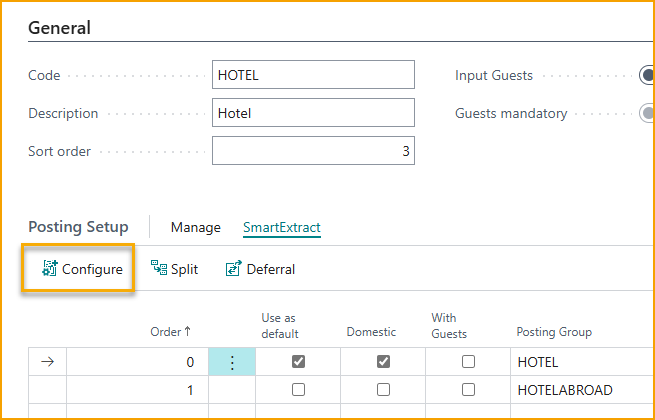
- Navigate to the relevant Expense Category (e.g., Hotel).
- Select the appropriate posting rule.
- Open the SmartExtract menu and click Configure.
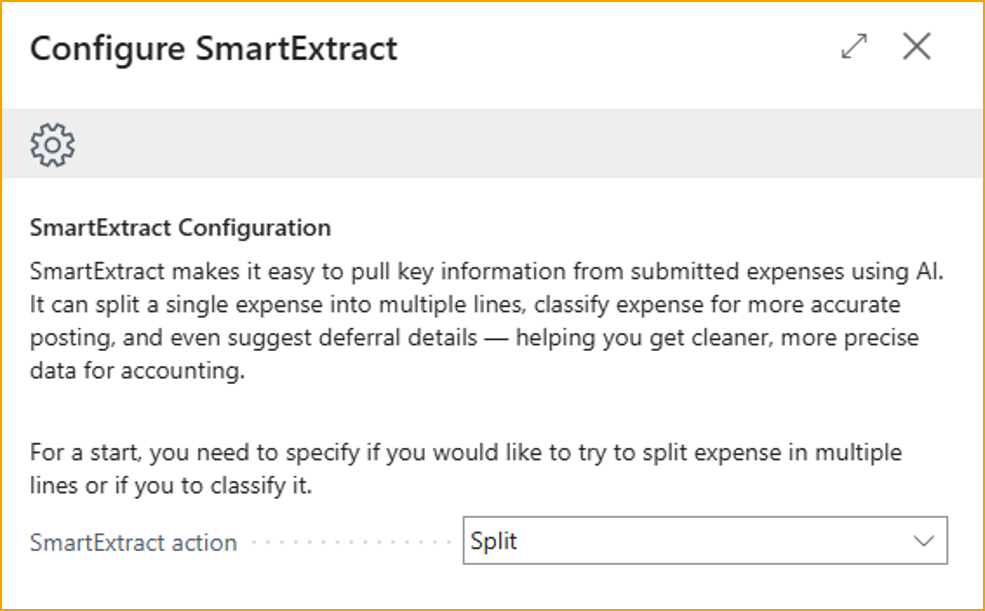
- Choose to split expenses into multiple lines or classify them for more accurate posting.
- Reference Posting Groups to define the details for each item (e.g., Parking, Breakfast).
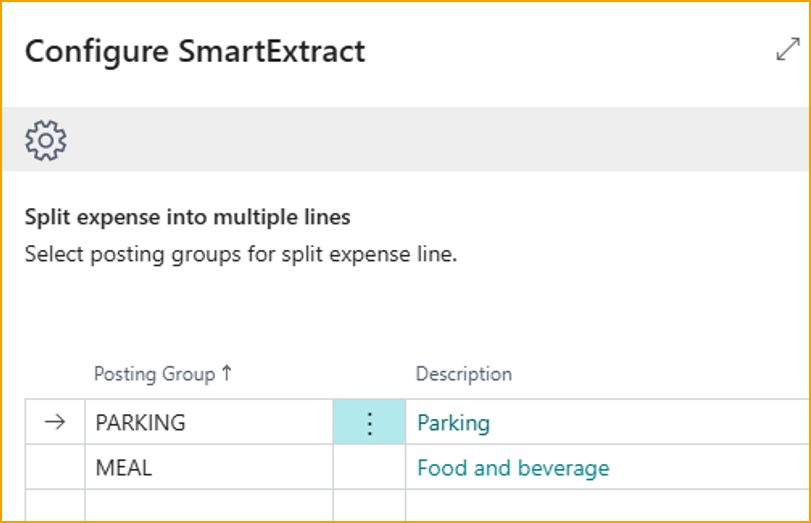
Once configured, SmartExtract will automatically extract these details from future receipts submitted under the Hotel category.
Configuration: classifying expenses
- Use a general category like "Travel."
- In SmartExtract, select Classify.
- Define Posting Groups for subcategories such as Flight, Taxi, Train, etc.
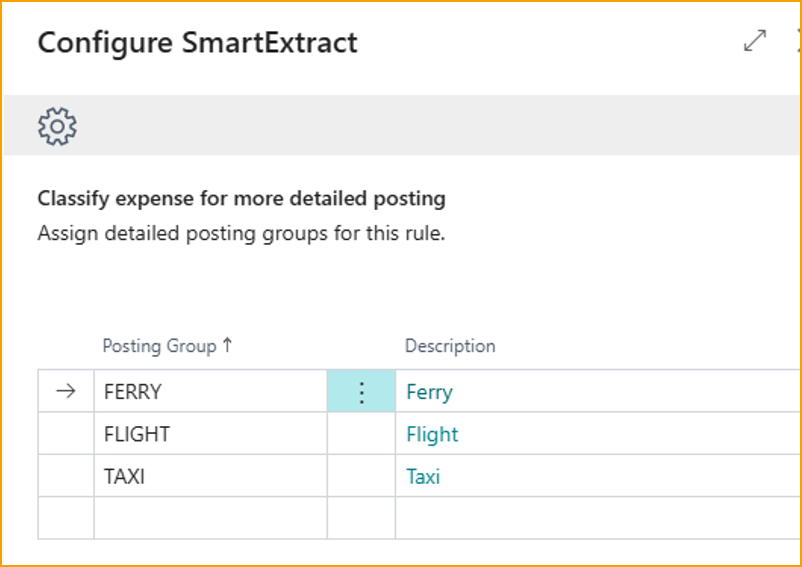
SmartExtract will attempt to classify each expense based on receipt content. If no match is found, the default posting rule will apply.
Configuration: deferral templates
- Configure each category with applicable deferral templates.
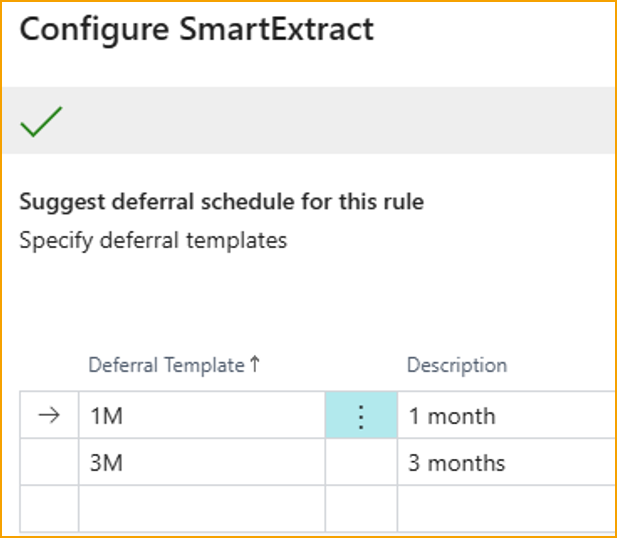
- When an expense is submitted, SmartExtract will identify relevant dates and apply the matching template.
Best practices
- Assess where SmartExtract adds value. In most cases, it is most effective when applied to domestic expenses, where receipt formats and tax rules are more predictable.
- Use clear, natural language in Posting Group descriptions. For example, "Food and beverage" is more effective than "Meals, Personnel."
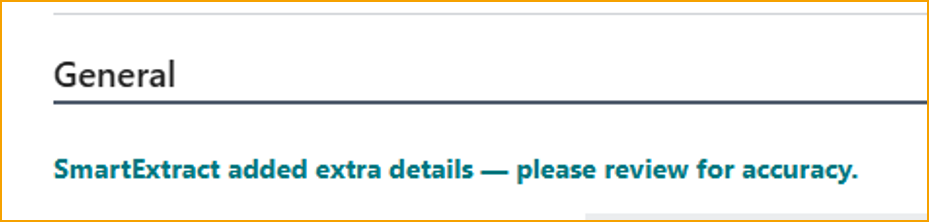
- Be aware that AI-based extraction may occasionally return incorrect data. A notice will appear on the expense card for any item processed by SmartExtract.
User experience
Receipt viewer in FactBox
You can now display the receipt viewer directly in the FactBox area, making it easier to review receipts alongside expense details. To switch between Fast Tab and FactBox placement, use the View menu on the Expense card.
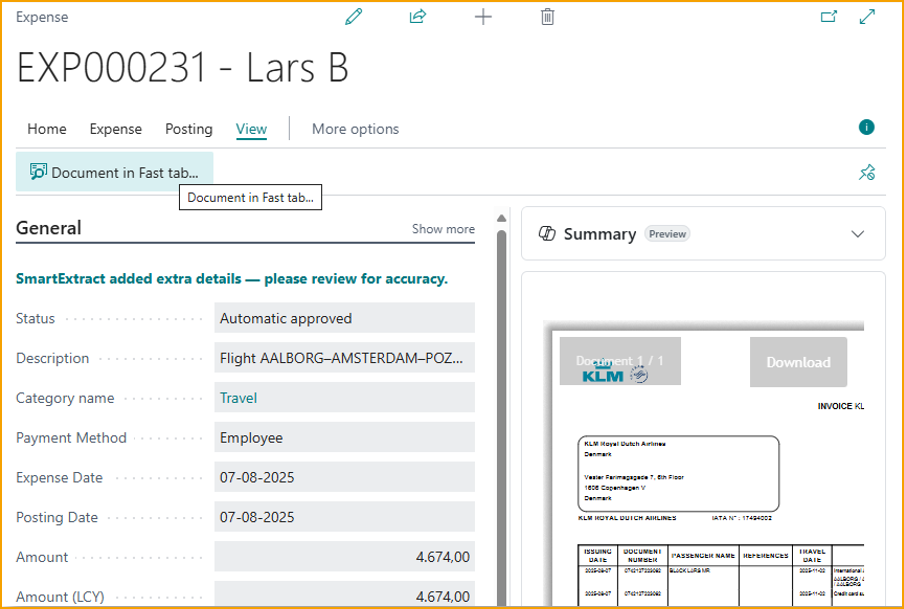
After changing the placement, close and reopen the Expense Card for the update to take effect.
Drag & Drop receipts in Portal
In the portal, drag and drop one or more receipts (PNG, JPG, or PDF) onto the designated area to create expenses automatically. AI will extract the receipt information, just as it does in the mobile app.
Enhanced History Module
The history module has been updated with dedicated views:
- Reimbursement View - Easily check whether your expenses have been reimbursed by accessing a view that displays only reimbursement-related entries.
- Processing View - Track the status of submitted expenses that are still being processed. This view shows all in-progress items without applying date filters.
You can now also filter expenses by type or status.
Automatic sending from Mobile app
When you submit an expense using the mobile app, it is now uploaded to the server instantly (when online), eliminating the need for manual synchronization.
Reimbursement
Configure file export
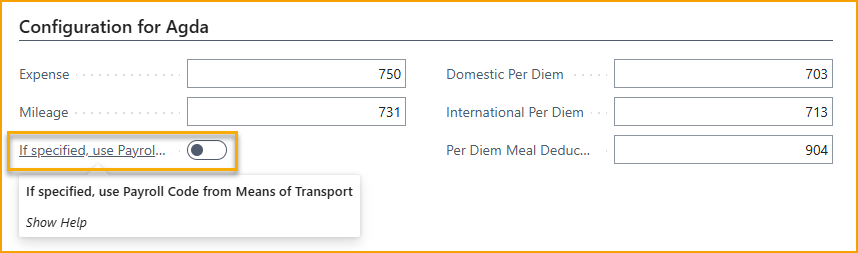
For selected Payroll exports, it is now possible to configure what Payroll codes should be used for specific expense types.
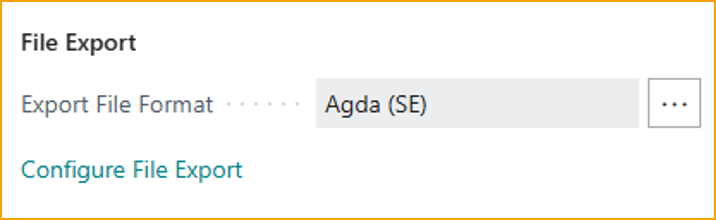
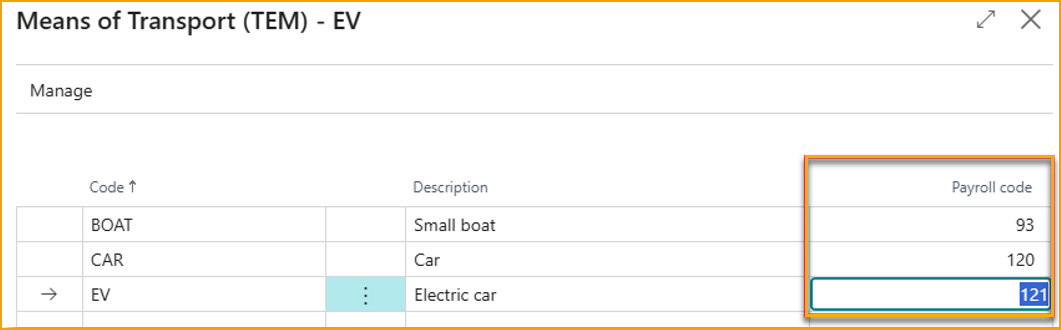
Additionally, if you need different Payroll codes for different vehicle types, these can be specified in the Means of Transport and used for the export.
Reimburse via Vendor payments
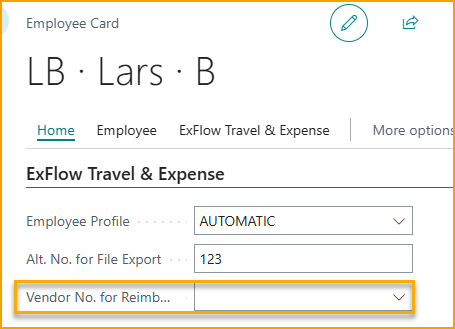
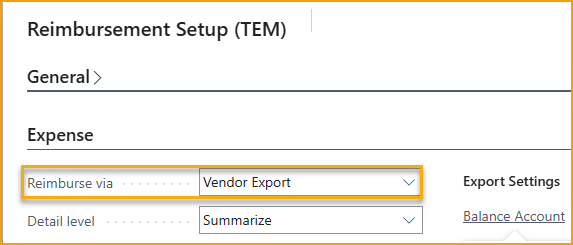
Some Business Central payment modules are not compatible with Employee Payments or require significant customization. With this update, you can now reimburse employees via Vendor payments. Simply assign an employee-specific Vendor Number on the Employee card and select "Vendor" as the reimbursement method on the Reimbursement Setup page.
When processing reimbursements, a Vendor Payment entry is automatically created for the outstanding amount, allowing you to handle the payment just like any other vendor payment.
Summary emails
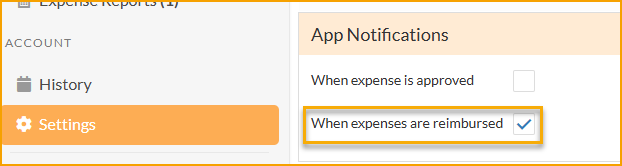
If users have enabled Reimbursement notification in the Settings page, in addition to a push notification to the app, they will now also receive an email with details whenever a reimbursement is made to them.
Localization & Regional Features
Nordea First Card integration
Now available in the Nordic countries, Expense Management supports real-time transactions for Nordea First Card company cards. When a transaction occurs, users receive a pop-up notification in the app within seconds, enabling them to instantly attach a photo of the receipt or respond quickly to potential fraud alerts.
Visible field adjustments
To enhance regional compliance, Expense Management now dynamically adjusts visible fields based on the Business Central company's location. For companies based in North America, tax-related fields will be displayed, while companies in other regions will see VAT-related fields.
Swedish meal VAT deduction support
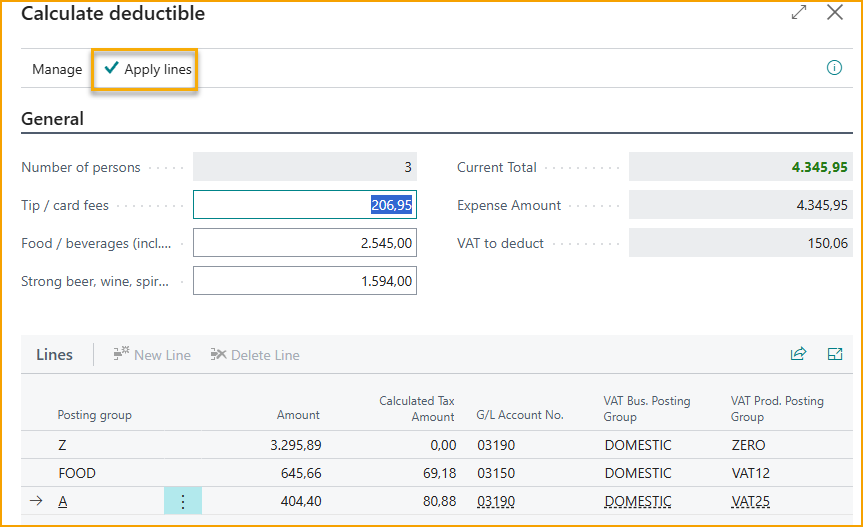
When the Business Central company is registered in Sweden and SmartExtract is configured with posting groups aligned to Swedish meal deduction rules-specifically 12% VAT for food, 25% for alcohol, and 0% for other items-a dedicated button becomes available.
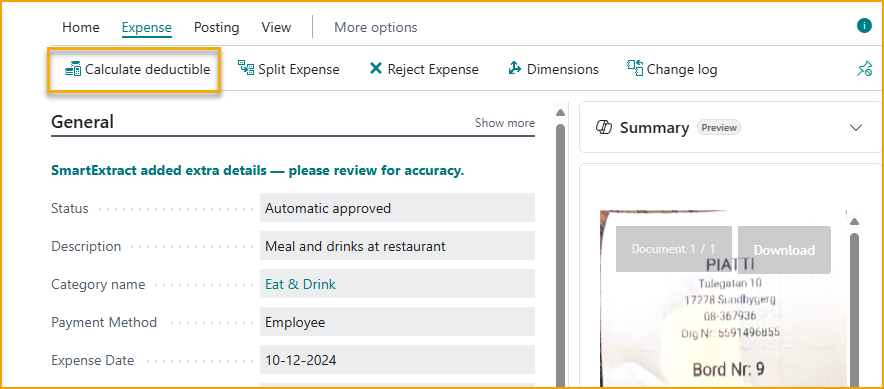
This feature allows users to automatically calculate eligible VAT deductions in accordance with Skatteverket's regulations. Once the calculated lines are applied, the expense is adjusted to reflect the correct VAT treatment.
Canadian tax handling
When the Business Central company is registered in Canada, SmartExtract automatically applies the appropriate Tax Area to each expense-without requiring any additional configuration. It detects whether the expense is subject to tax and selects the correct Tax Area from the list defined in Business Central.