Expense Management 3.0
Release date: April 2025 - Major Release
Key Highlights
- Employee profiles
- Expense policies
- Multi-level approval
- Delegated expense management
- Real-time alerts during approval
- Improved history view
- Configure category-specific fields for expenses
- Enhanced mobile app with Per Diem and AI assistance
- New portal look and feel
Your users can access the new web portal and mobile app right away, but to use the new features, you'll need to update and configure the app in Business Central.
Employee Profiles
To manage different groups of employees with varying expense rules, Employee Profiles have been introduced. An employee profile defines rules and approval policies for all employees assigned to that profile. This can include approval rules; which expense categories they can see, or the spending limits for individual categories.
You can create as many Employee Profiles as needed to match your organization.
In this example, a profile is created for the Sales team with special approval policies for a few expense categories and for expense reports. Also, for the Sales Team, the expense category of Car Maintenance is not available.
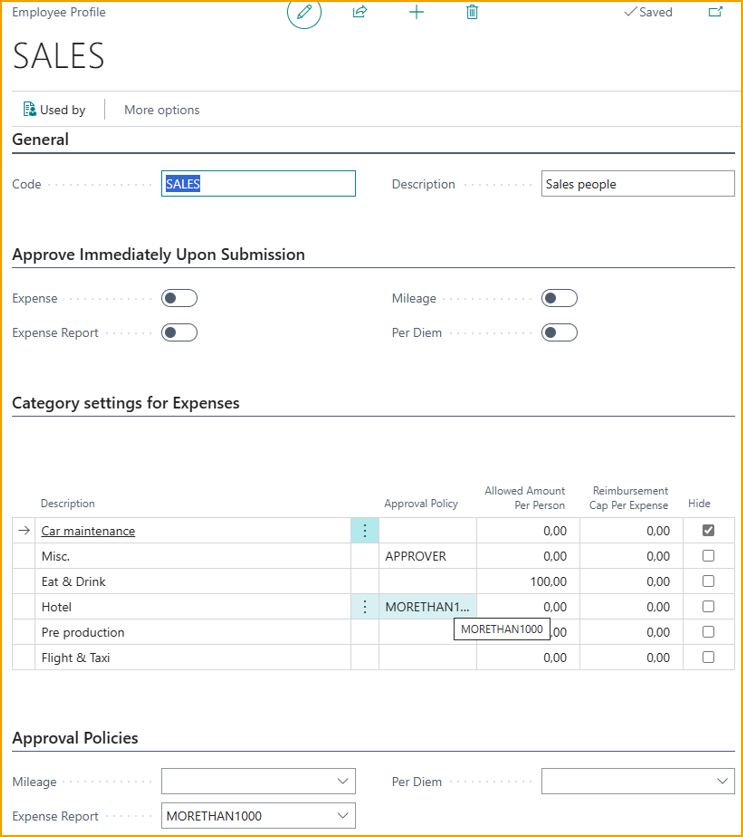
During the upgrade from Expense Management version 2, Employee Profiles were created and assigned to employees based on their approval setup. A profile "NORMAL" is created for employees with normal Manager approval. If any employees were set up for automatic approval, a profile "AUTOMATIC" is also created.
Expense Policies / Multi-level Approval
Expense policies allow for the definition of various sets of rules for how expenses should be approved. You can create as many policies as needed. For example, the management team may have higher spending limits before an additional approver is required, or you have situations where expenses in a specific category should always be approved by the same person, unrelated to who is submitting the expense.
Approvers can be specified at up to three levels based on different criteria, and there can be multiple approvers at the same level. Only when all approvers at one level have approved, the expense is sent for approval at the next level.
Expense policies must be linked to individual employee profiles.
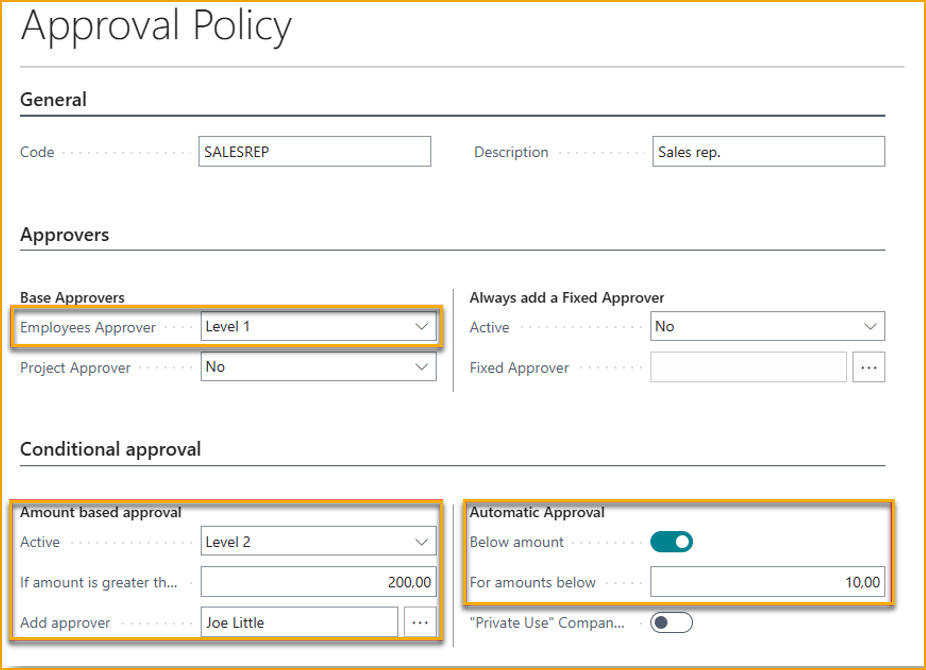
In the example below, a policy is created for salespeople, stating that their manager must first approve, and if the amount exceeds 200, Joe Little must approve. Additionally, if the expense is less than 10, it is automatically approved so that the approver does not waste unnecessary time on minor expenses.
Delegated Expense Management
Delegated expense management allows a user to manage expenses on behalf of another employee, such as a personal assistant who handles expenses for the management team.
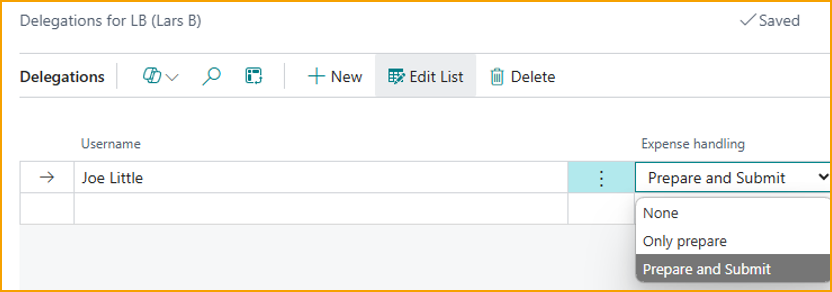
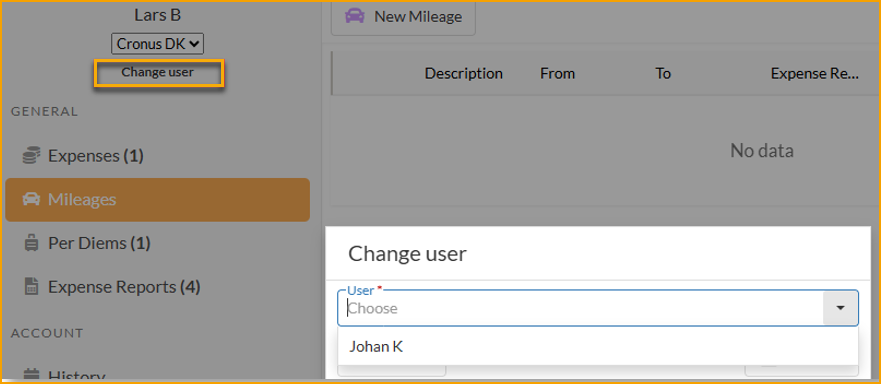
Once a user is set up as a delegate, they have the option to switch to another user on the portal or mobile app and create/submit expenses on their behalf, depending on what rights have been assigned.
Real-time Alerts During Approval
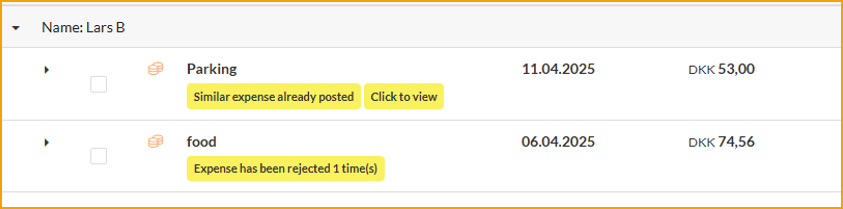
To provide approvers with better insight into what they need to approve, real-time alerts will now be displayed during the approval process. These alerts can include potential duplicates, policy violations, or previously rejected expenses.
This functionality provides real-time alerts to approvers when expenses submitted for approval do not comply with predefined company policies. The system automatically scans each expense report for discrepancies and if any non-compliant expenses are detected, the approver receives an alert, allowing them to review and address the issues promptly.
Customizable Fields on Expenses
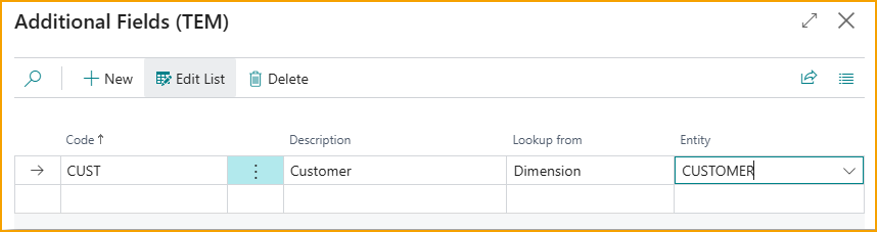
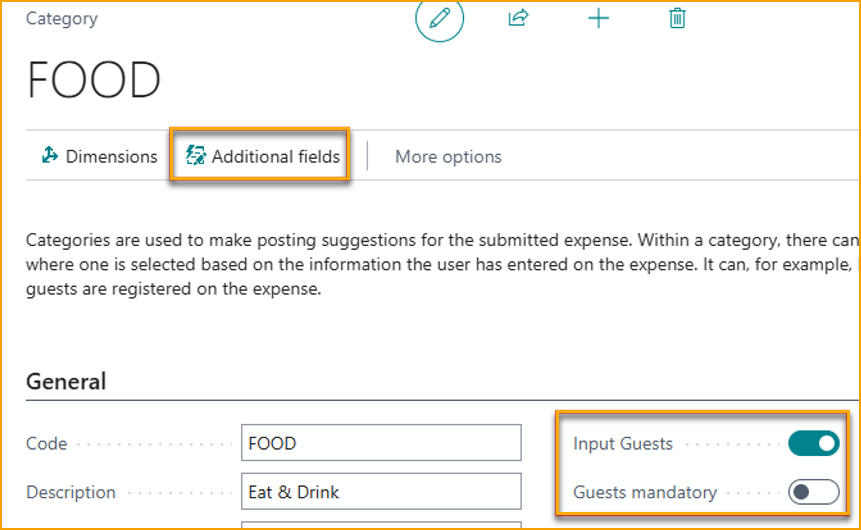
It is now possible to customize which fields are displayed for a specific expense category. You can specify whether guests should be registered for the category, and it is also possible to register dimension values via the "additional fields" module.
It is possible to have different fields for different categories.
Improved Follow-up for Employees
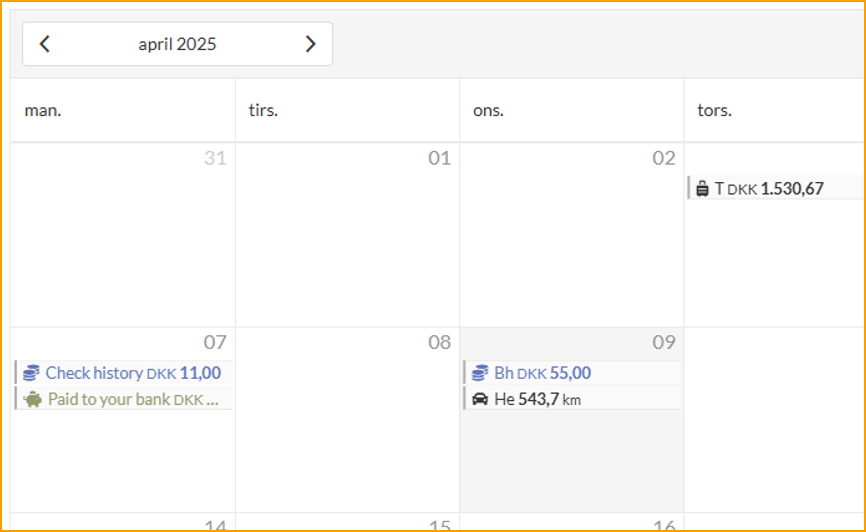
When employees need to check the status of their submitted expenses, there have been requests for a quicker overview of expenses and whether they have been reimbursed. Based on user feedback, a new calendar-based history view has been introduced, where you can quickly see if expenses have been approved/reimbursed and when the reimbursement occurred.
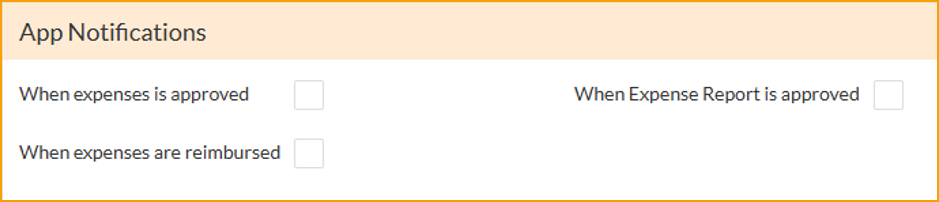
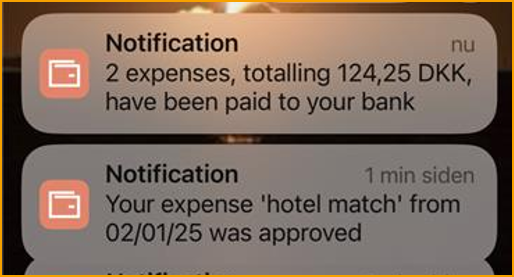
It is also now possible for the user to enable push-notification to the mobile app to let them know when expenses are approved and when reimbursement has taken place.
Enhanced Mobile App
In the mobile app, it is now possible to create Per Diems. AI has also been improved so that when a picture is taken or a PDF is uploaded, in addition to reading the date, amount and currency, a suggestion for expense description and the best category will also be made.
Other Changes
Submit to multiple Business Central companies
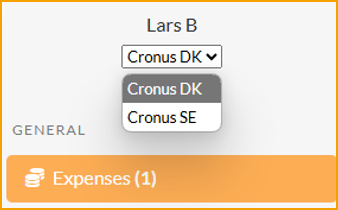
If an employee needs to submit expenses to multiple companies, it is now possible to connect the same login to employees in different companies. On the portal / mobile app, it will be easy to switch between the companies.
Option to register currency conversions on an expense
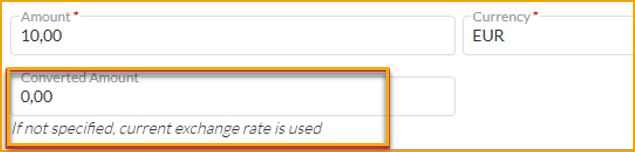
If an employee incurs an expense in a foreign currency and pays out of pocket, the exchange rate in Business Central has been used for reimbursement until now. In some situations, this has been a disadvantage for employees due to potential currency conversion fees. It is now possible for the employee to specify the converted amount. If not specified, the exchange rate from Business Central will be used.
More detailed options for re-invoicing expenses via Projects
When using Projects, it is now possible per expense type to specify if they should be invoiced or not.
Preview posting
Preview Posting has been added to expenses, mileages and per diems.
Bug Fixes
- Expense Reports will now show in notification emails.
- Card numbers less than 4 digits would fail - fixed.
- Renamed "Payment Groups" to "Balance Types" as this is a more correct term.