Expense Management 2.0
Release date: October 2024 - Major Release
Key Highlights
- Expense Reports for better expense tracking
- Per Diem support with flat daily allowance and Finnish/Swedish calculation rules
- New module for seamless reimbursements via payment journal or export to external systems
- Enhanced web portal user interface
- Better mobile device approval
- New Android and iOS mobile app
- Enhanced Excel import of card transactions
- More detailed options for re-invoicing expenses via Projects
- Improved support for "Progressus Advanced Projects" add-on
Your users can access the new web portal and mobile app right away, but to use the new features, you'll need to update and configure the app in Business Central.
Expense Reports
Expense Reports allow you to organize Expenses, Mileages, and Per Diems to gain a summary of outlays.
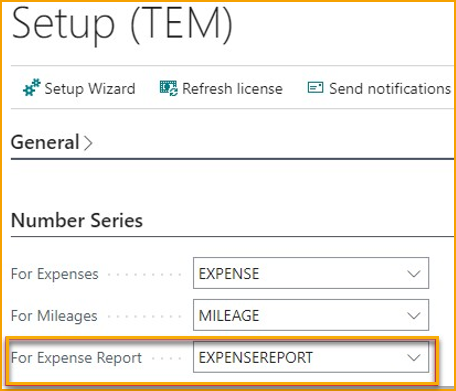
Enabling Expense Reports is straightforward, just navigate to the Setup page and add a Number Series for Expense Reports.
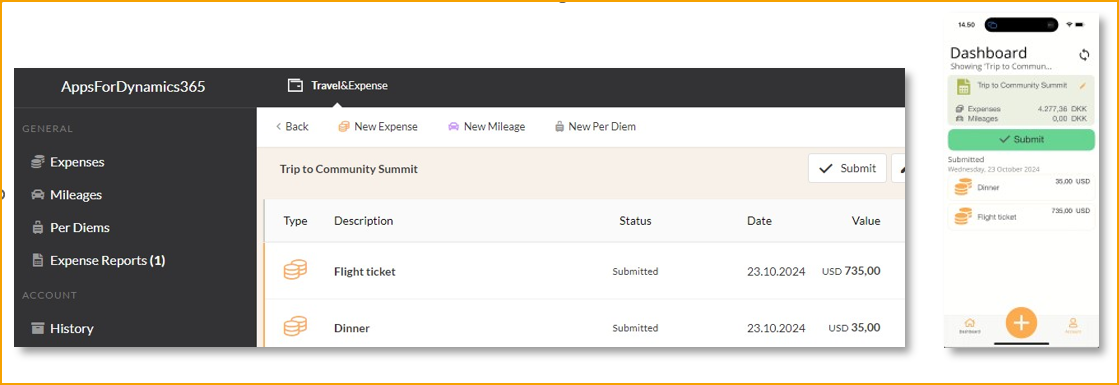
When logging into the portal or mobile app, users can create an Expense Report, add expenses, and submit it.
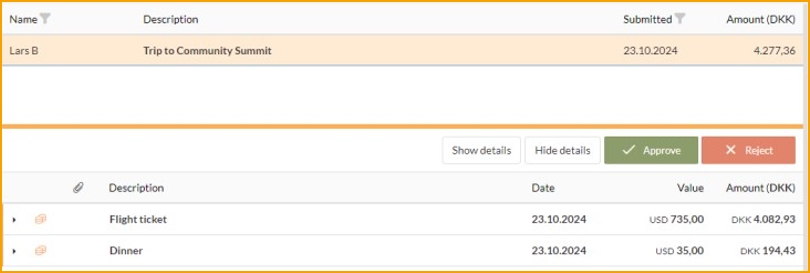
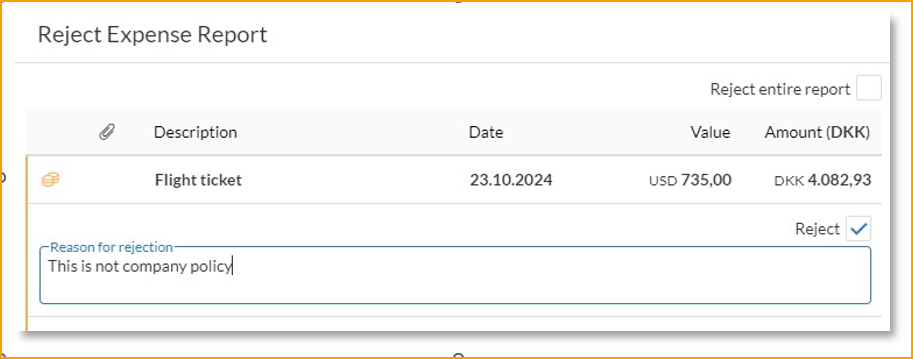
Once the Expense Report is submitted, the approver receives a summary and can approve it all at once or reject all / parts of it.
Per Diems
Per Diems are daily allowances provided to employees to cover day-to-day expenses incurred during business travel. They simplify the process of expense tracking by offering a fixed amount.
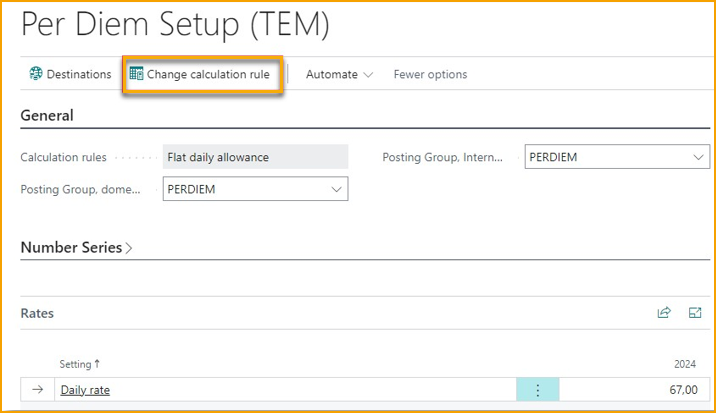
Rules for calculating Per Diems varies from country to country. Currently supported calculation rules are: Swedish, Finnish, and a general "flat daily rate" rule. Depending on the selected rule, you will have different settings to configure.
Calculation rules are configured in the Per Diem Setup page (only available in the Pro edition).
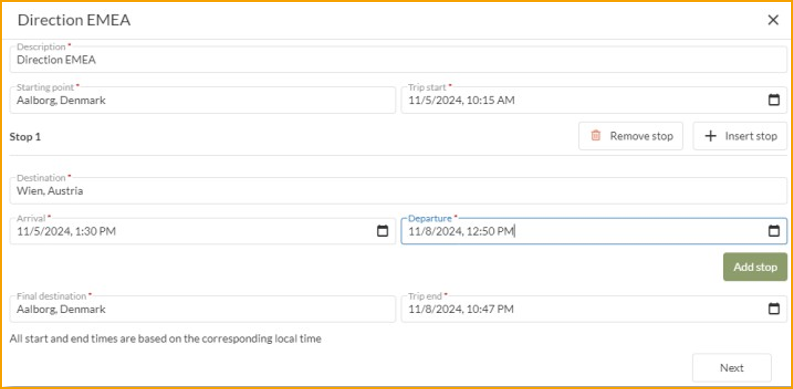
When Per Diem is configured, the employee can create Per Diems from the web portal.
Enhanced Web Portal User Interface
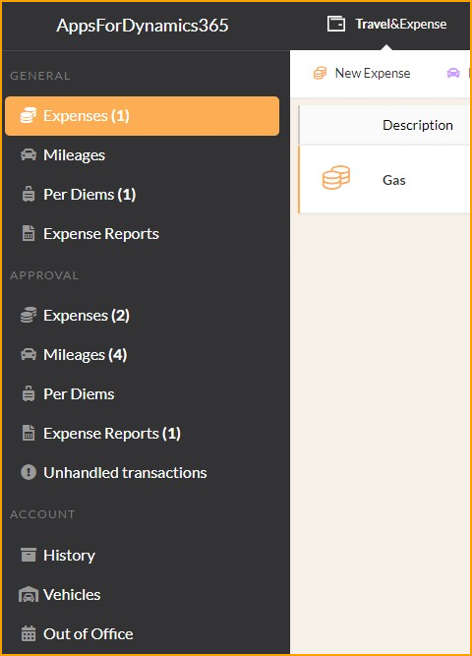
The web portal's user interface has been upgraded to include new Expense Report and Per Diem features. Now, instead of a single consolidated list, the sidebar displays menu items for each configured feature, applicable to both submitting and approval.
New Mobile App
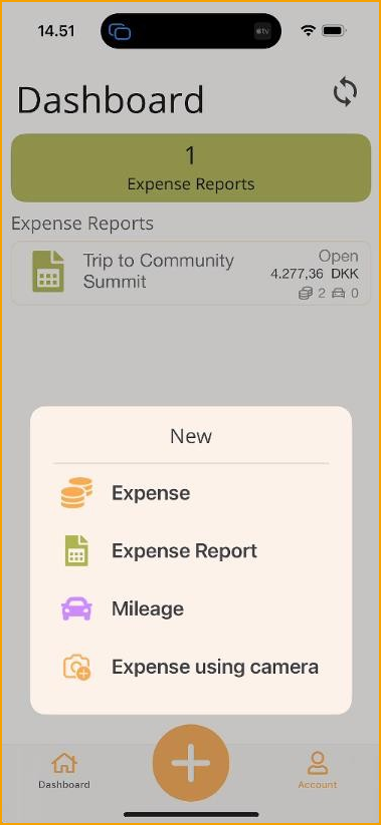
The new Mobile App features an updated user interface that provides a clearer view of pending items. The big + button at the bottom provides quick and simple access to create new items in the app. If an Expense Report is selected while creating a new item, it will automatically be included in the chosen report. The "Account" menu includes personal options such as Vehicles, History, and Company Cards.
Reimbursement
When expenses need to be reimbursed, it can be done either by using the Payment Journal in Business Central or by exporting data to external systems, typically payroll systems.
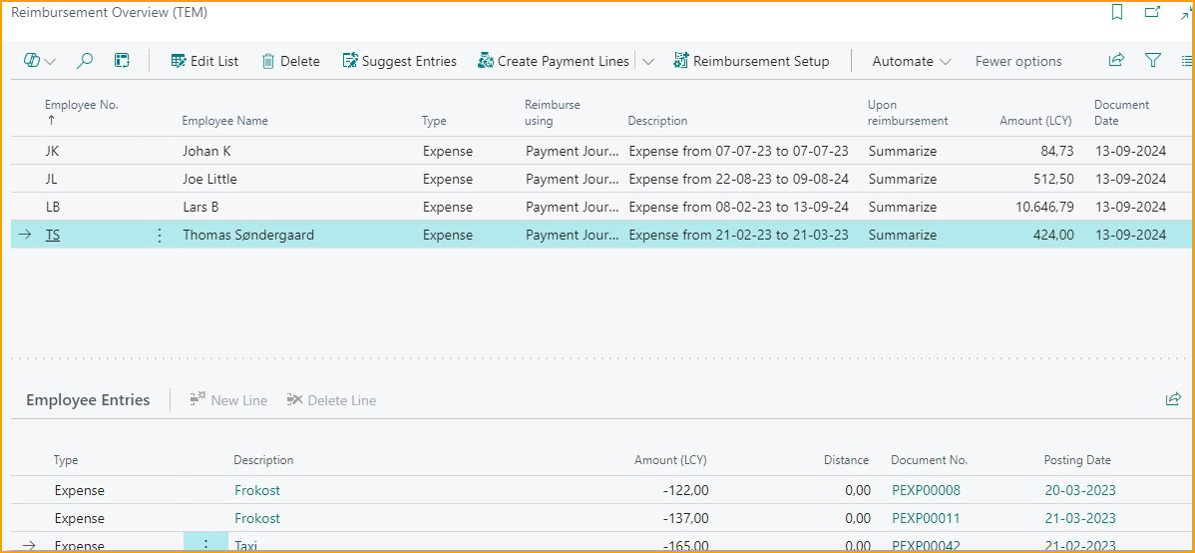
To make this process more manageable, there is now a module to provide an overview of which expenses need to be handled and how. In the Reimbursement Overview, clicking Suggest Entries provides a consolidated view of reimbursements.
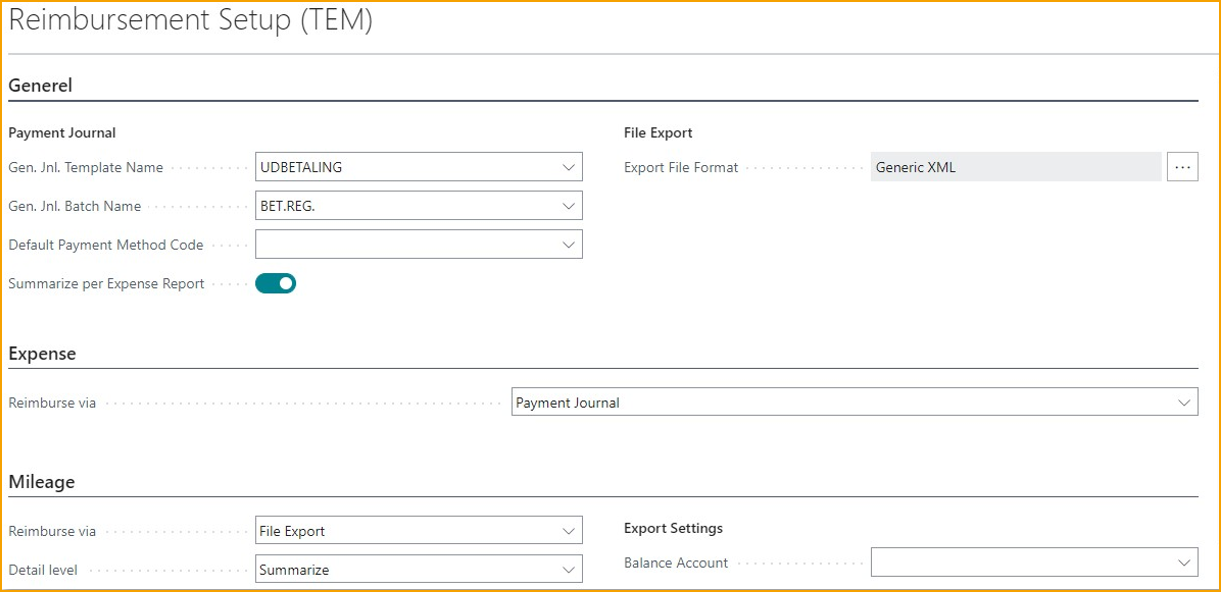
To change how reimbursements are processed, go to the Reimbursement Setup to configure details per expense type.
Minor Changes
Improvement to Excel import of card transactions
When importing card transactions using Excel import, currency and country names are now matched against descriptions as well if the import file does not use standard ISO codes. Additionally, you can now import invoice no./statement no. from the file as well.
More detailed options for re-invoicing expenses via Projects
When invoicing expenses to clients using the Project module, you will now have more detailed control over which expenses can be billed on the project.

Improved support for Progressus Advanced Projects
If you are using the "Progressus Advanced Projects" add-on for Business Central and want to re-invoice expenses, it offers enhanced project configuration with task-level settings determining the invoiceability of expenses. These settings are automatically recognized when posting expenses.