Delegations
Delegations allow other TEM users to act on behalf of an employee - for example, a personal assistant who prepares and submits expenses for a manager, or a colleague who covers approvals during absence.
Open the Delegations action from the Truvio Expense Management tab on the Employee Card to manage who can act on behalf of that employee.
Fields
| Field | Description |
|---|---|
| Delegate User | The TEM user who is granted permission to act on behalf of this employee. |
| Expense handling permission | What the delegate can do with this employee's expenses. Prepare and Submit allows the delegate to create and submit expenses on their behalf. None means no expense handling rights - use this when the delegation is for approval only. |
| Can Approve Expenses | When enabled, the delegate can approve expenses on behalf of this employee. Use this to cover approval duties during absence. |
Example
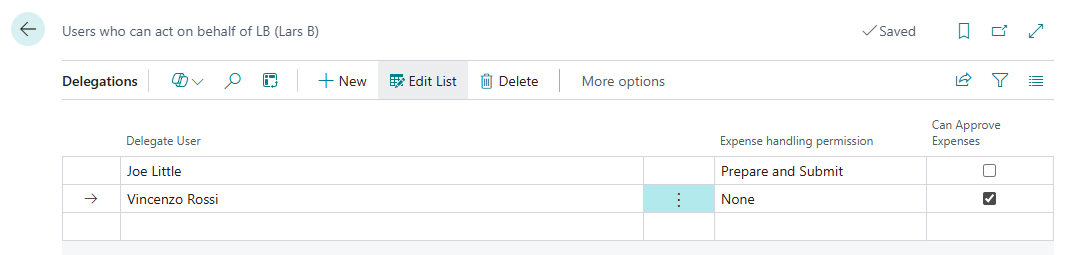
In the screenshot above, two delegates are configured for Lars B:
- Joe Little can prepare and submit expenses on Lars's behalf but cannot approve
- Vincenzo Rossi has no expense handling permission but can approve expenses on Lars's behalf