Daily Tasks
The day-to-day work the finance team does in Business Central with individual expenses as they arrive: reviewing and adjusting an approved item, posting it to the GL, and handling company card transactions. Recurring routines run across many records at once - reimbursement, payroll export, period-end review - live under Processes.
Business Central is not used for submitting expenses. Employees and approvers work in the mobile app or web portal. Finance picks up each expense once it has been approved.
Finance work begins where the expense lifecycle hands off: an Approved item is reviewed and posted to the GL. This section is the how-to for each of those steps.
Where you work
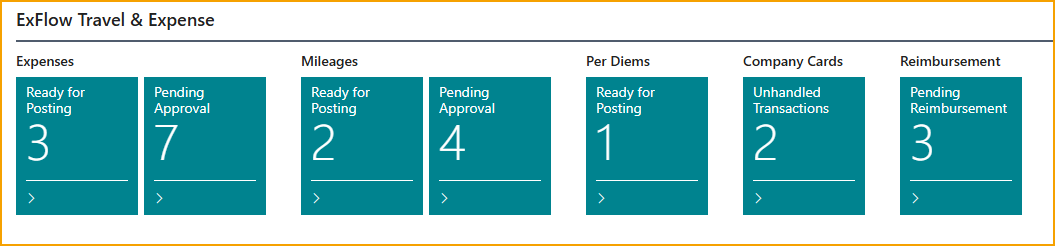
The Expense Management, Business Manager and Accountant role centers show card cues for items waiting to be handled, including an Action Items group for issues that need attention. Only cues with more than zero items are shown.
Tasks
- Review expense before posting - adjust GL accounts, dimensions, and tax; map the merchant to a vendor; split between employees; set a reimbursement cap
- Process a private card expense - handle a transaction marked as private and recover the amount
- Add an approver to an approved expense - reopen an approved expense for one more approval
Post
- Post approved items - post expenses, mileage, and per diems to the general ledger
- Import card transactions - get transactions into TEM by manual entry or file import
- Review card transactions - view imported transactions (read-only) and mark them as handled
- Reconcile against the card statement - match posted card expenses to the card invoice
- Clear issues TEM raises for finance - missing or deactivated logins behind an approver, and terminated employees still used as approvers or delegates
Good to know
- SmartExtract review banner - when AI has extracted data or split a receipt into lines, a blue advisory banner appears on the expense card asking you to verify before posting. It does not block posting. See SmartExtract.
- Duplicate detection - possible duplicate receipts are flagged to the approver before they reach you. See Expense lifecycle.
- Force approval - finance can enforce approval regardless of other conditions from the expense card. A comment is required. See Post approved items.
Related
- Concept: Expense lifecycle
- Concept: Posting and GL
- Concept: Company card flow