MEM Support
This page covers the Business Central setup required for Binary Stream Multi-Entity Management (MEM). For how MEM filtering flows through Expense Management - cues, list pages, portal dimensions, and the reimbursement exception - see the Multi-Entity Management concept.
MEM setup
In a Business Central environment with MEM, two things must be configured so Expense Management aligns with your MEM Security Setup.
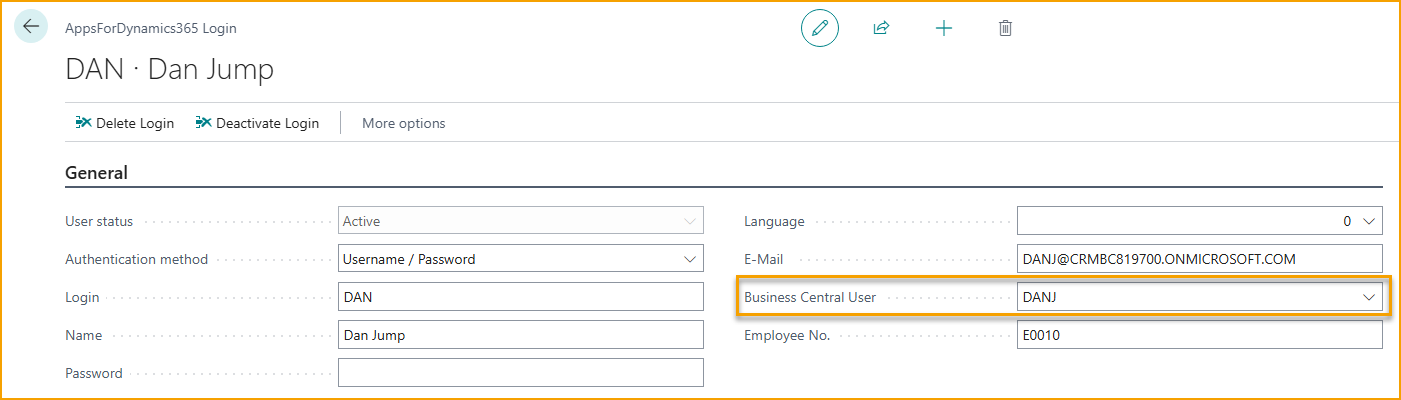
Link each login to a Business Central user
Each Expense Management user (AppsForDynamics365 login) must be linked to a Business Central user. That link is what carries the MEM User Security Setup - entity access, dimensions, projects - into the portal and mobile app.
Enable the Entity Dimension
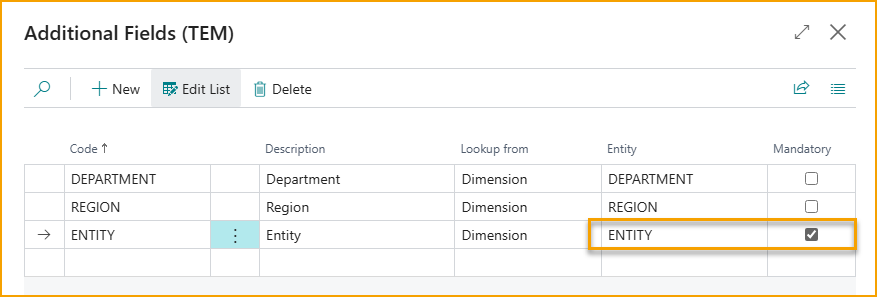
In a MEM environment the Entity Dimension is mandatory. Set it as mandatory on the Additional Fields (TEM) page:
Then enable Entity Dimension on each Expense Category, under Additional Fields:

Related
- Concept: Multi-Entity Management
- Reference: Additional fields
- Reference: Employees