Dimensions
Assigns default dimension values to a posting setup on an expense category. These values are applied automatically when the expense is created and are not visible to the employee during entry.
Steps
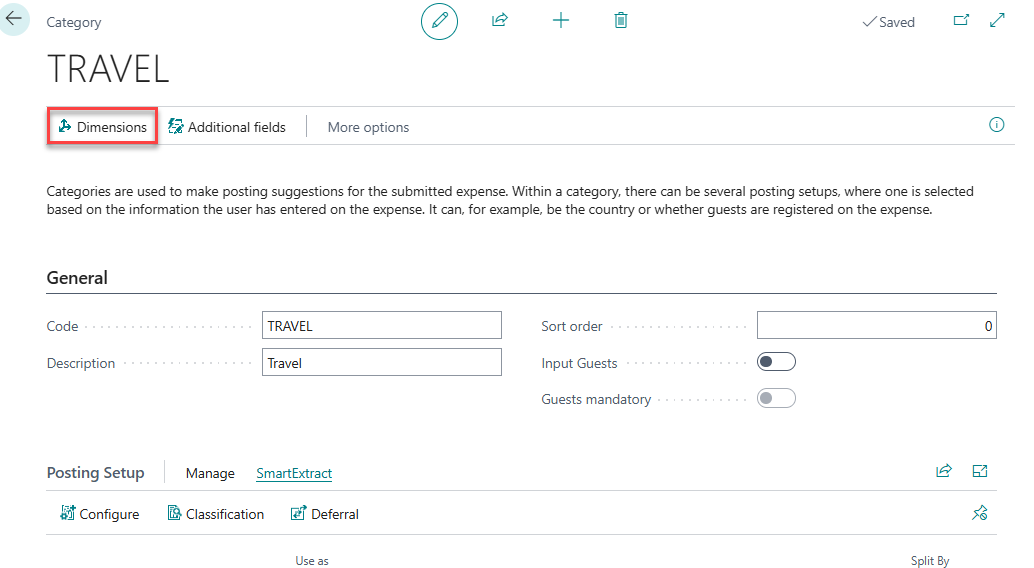
- Open the Expense Category and select the posting setup line to configure.
- Select Dimension from the action bar.
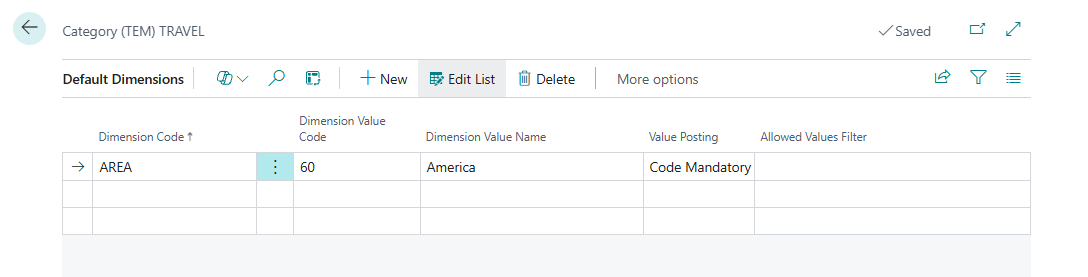
- Add one row per dimension:
| Field | Description |
|---|---|
| Dimension Code | The dimension to default. |
| Dimension Value | The value to apply. |
| Value Posting | Controls whether the value is fixed, suggested, or required. |
| Allowed Values Filter | Restricts which values are valid for this dimension on this category. |
Related
- Reference: Expense Categories
- Concept: Posting and GL