Review card transactions
Goal
View imported company card transactions and their status. Transactions are read-only here - they cannot be edited - but you can track each one's progress and mark a transaction as handled when it no longer needs a receipt.
View unposted transactions
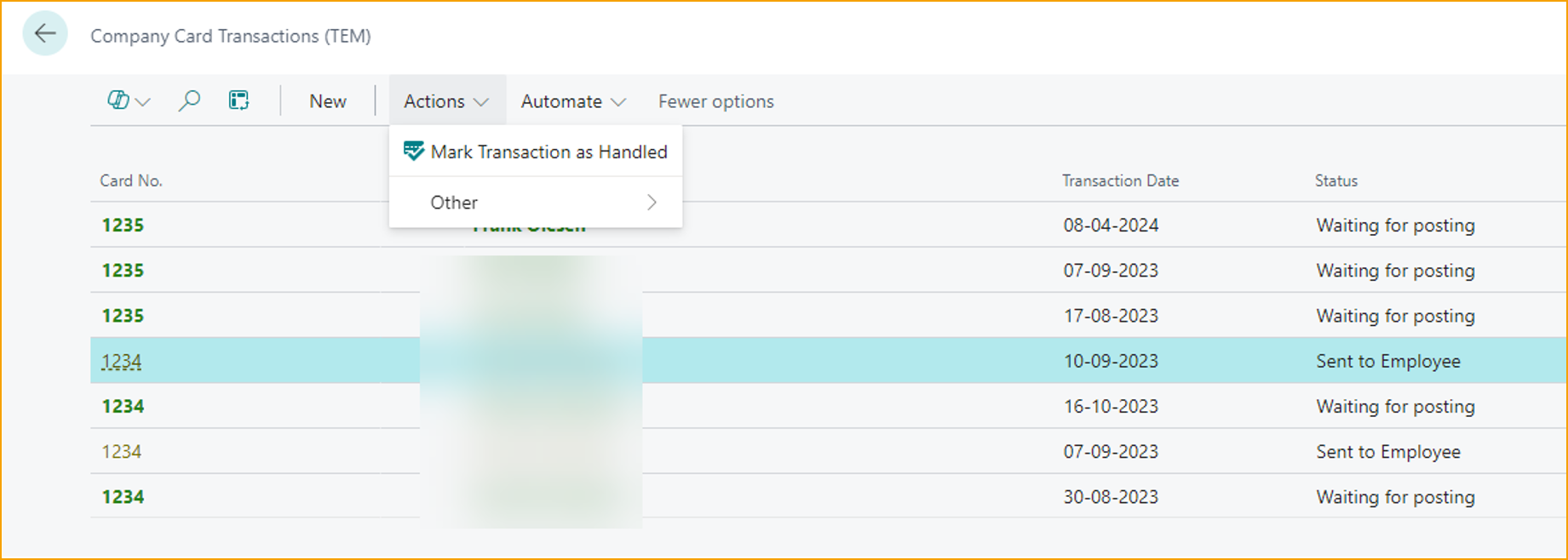
Go to Company Card Transactions (TEM) to see all transactions, the card holder, amounts, and current status.

The Status column tracks each transaction's progress, from Sent to employee through to Waiting for posting. The list is for review only - transaction details cannot be changed here.
Mark a transaction as handled
When a transaction has become irrelevant and should not wait for the employee to attach a receipt, mark it as handled.
- Select the transaction
- In the action bar, choose Actions → Mark Transaction as Handled
Related
- How-to: Import card transactions
- How-to: Reconcile against the card statement
- Concept: Company card flow