Sending an e-invoice
Sending an e-invoice using Truvio ExFlow e-Invoicing with Pagero for France follows exactly the same patern explained in Pagero Service and How to use ExFlow e-Invoicing pages.
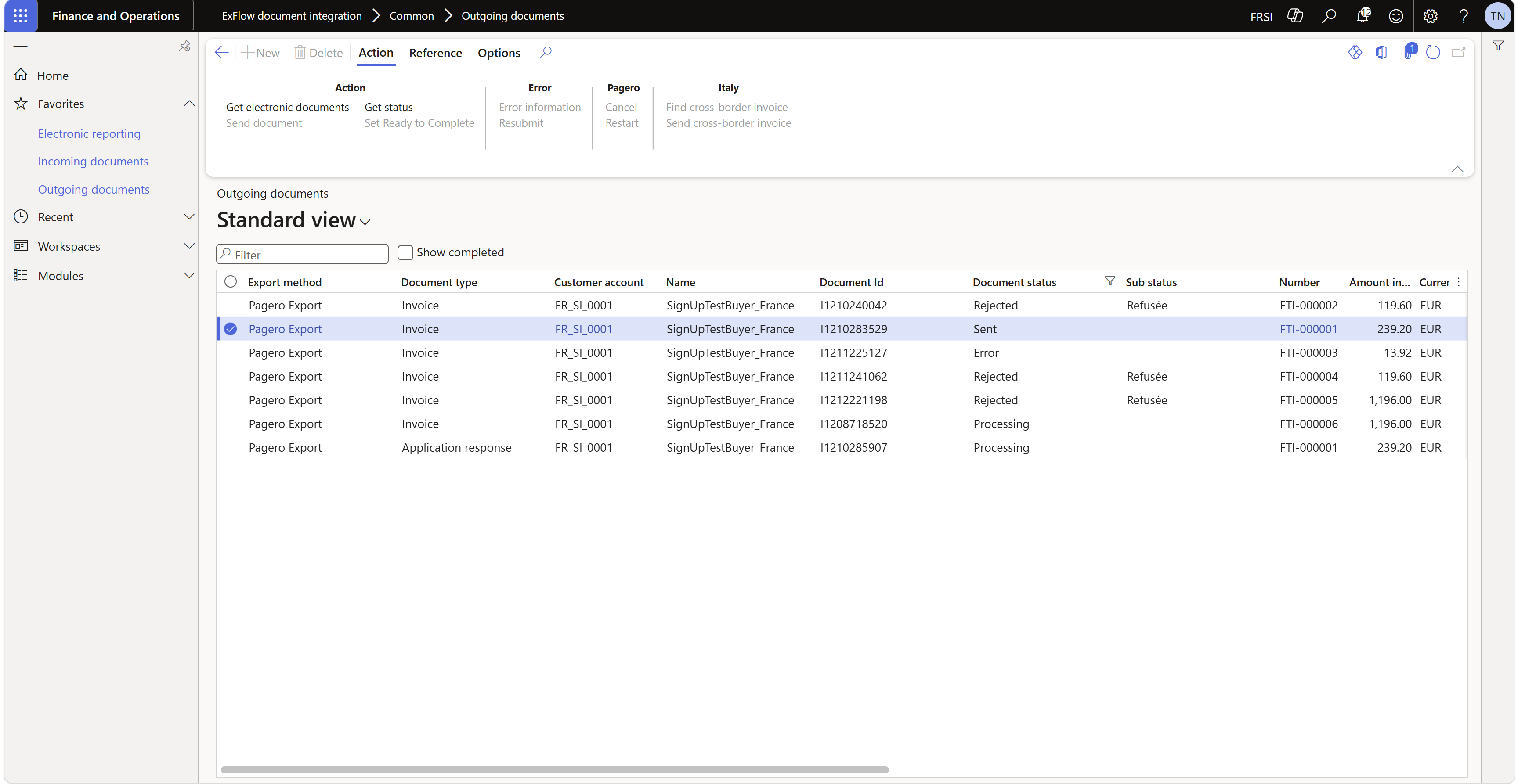
When sending successfully an invoice in France via Pagero, in Outgoing documents, the invoice is kept in status "Sent" to receive lifecycle status messages from the buyer. These status will be pulled in until a process terminating status (like 210 Refussée) is received.
Usage of D365 Electronic Reporting Configuration
The generation of the e-invoice in UBL Extended-CTC-FR format will be done by the ER Configuration selected (example: UBL Sales e-invoice (FR), in case of sales order or FTI invoices) and, as explained by Microsoft, it requires carefull setup of the registration numbers.
See https://learn.microsoft.com/en-us/dynamics365/finance/localizations/france/emea-fra-einv-ereport?context=/dynamics365/context/finance#set-up-registration-numbers for details.
Receiving Lifecycle status for an invoice sent to a customer
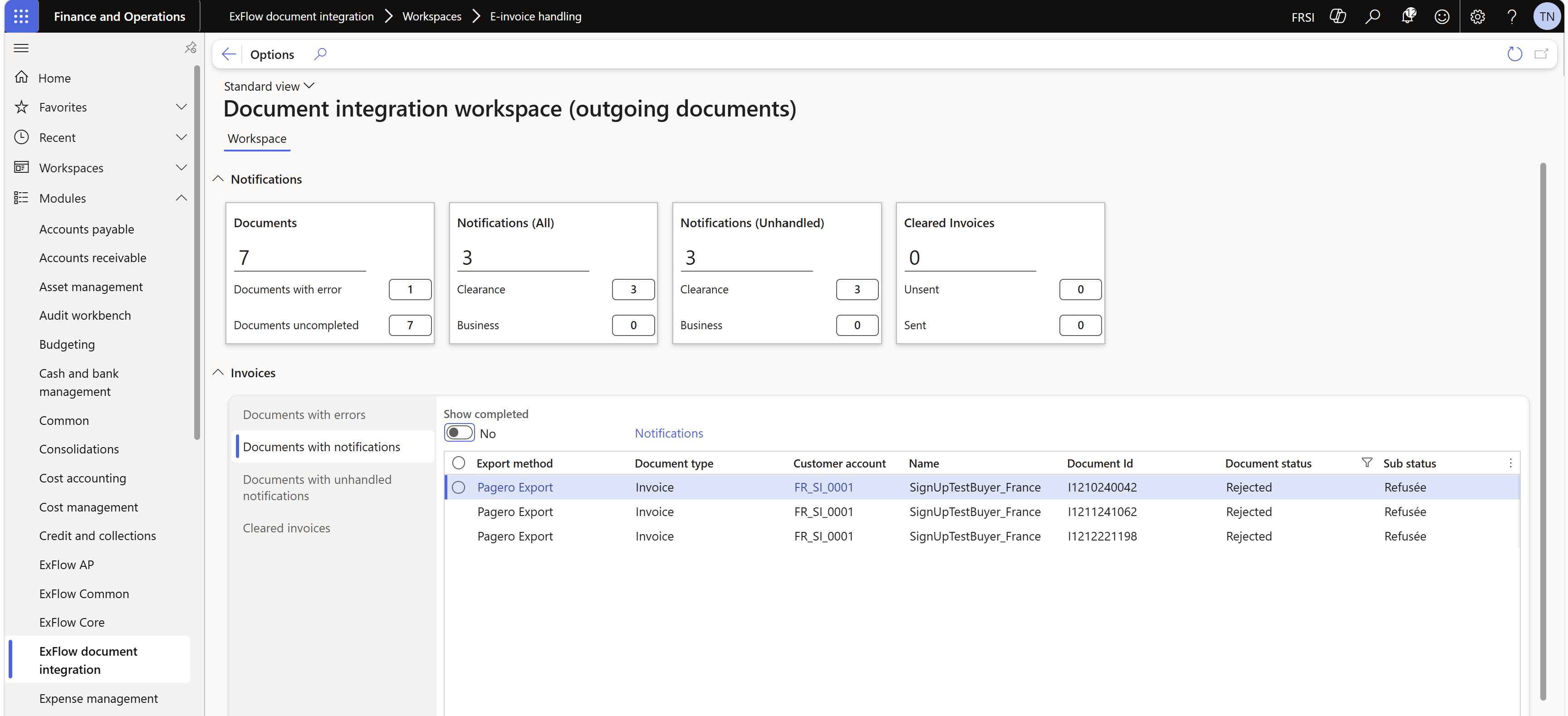
Receival of the lifecycle status for an already sent invoice to a customer happens when the system runs "Get status" operation, either manually or with a batch job. The lifecycle status will be shown in the workspace and in the Outgoing documents, using the text configured in the Lifecycle status page for the code. Note that there are specific operations that the user may need to execute depending on the status received and the legal framework.
Sending lifecycle status for an invoice sent to a customer
Payment received (212 Encaissée)
According to the French mandate, a 212 Encaissée status message is required when the VAT is due upon receipt of payment. Therefore, customer must assure the Tax setup caters for this condition so the VAT is accounted at the payment settlement time. When ExFlow e-Invoicing detects a payment meeting such condition in a domestic invoice, and when a payment transaction is settled against an invoice -fully or partially-, a lifecycle status record is generated with the paid amount. The status can be seen in:
ExFlow document integration | Inquiries | Lifecycle status messages.
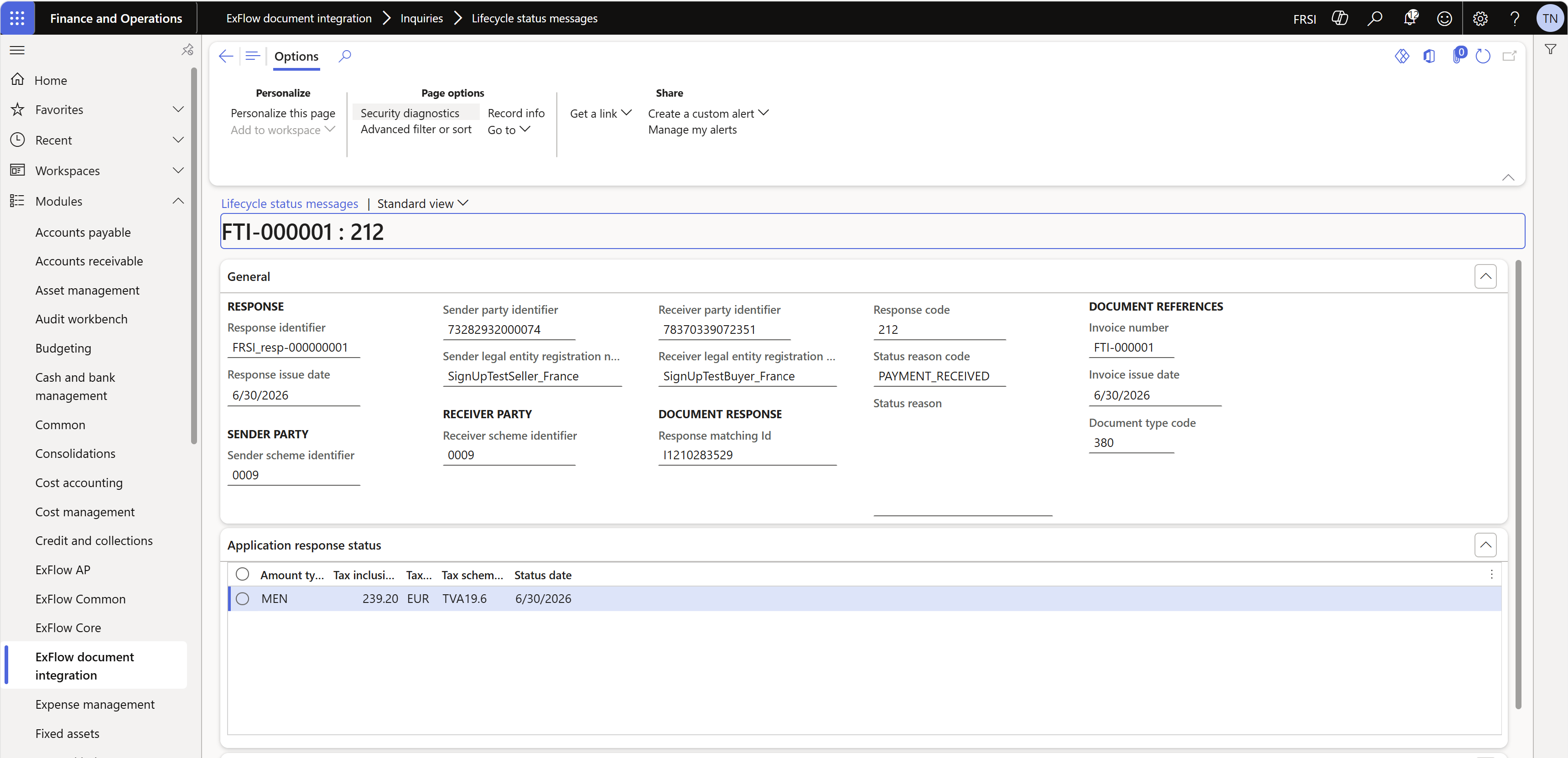
and will be sent automatically by the batch job to Pagero.
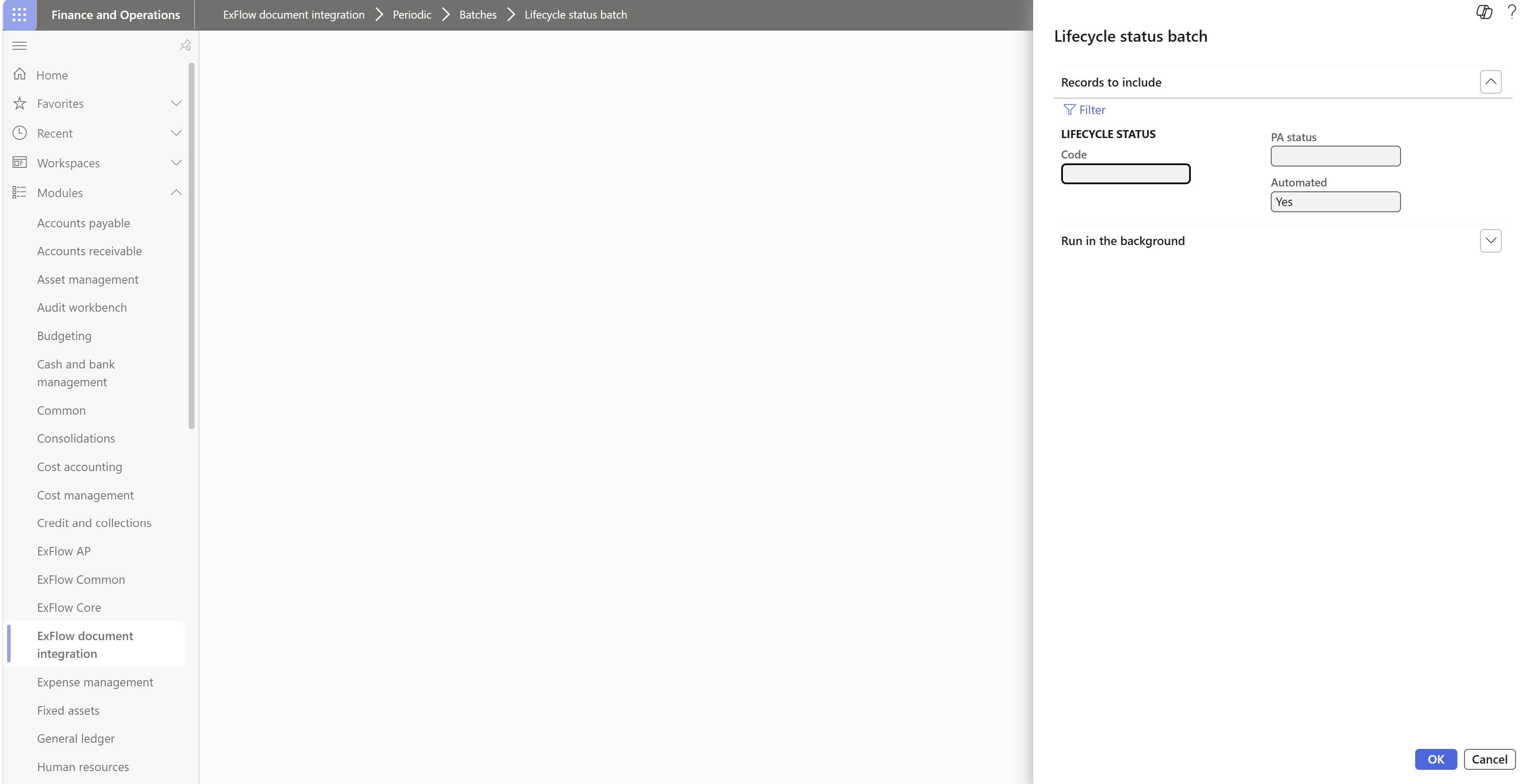
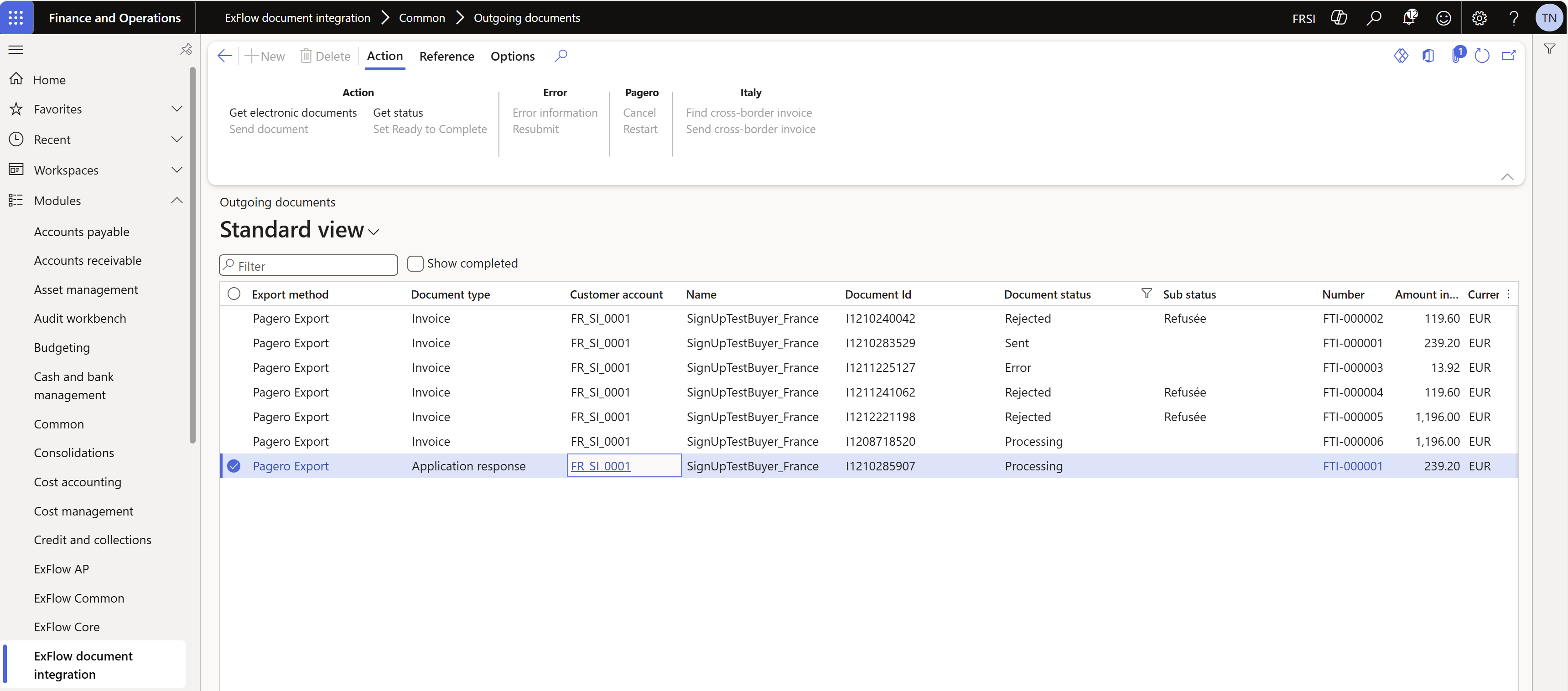
The submission can be seen in Outgoing Documents with "Document type" = "Application response" and once Pagero gets it, they will submit it to DGFiP.
Same process apply if the settlement is undone. Purpose is to keep the VAT ledgers -triggered by payment operations- in sync between Dynamics 365 Finance and DGFiP.